Roster and shifts
Week plan, bulk assign, copy last week and publish. Drivers are told when their shift is published.
Zamam Operations
Import the day's orders, hand them to drivers, watch the work happen on the live map and keep every approval and message in one place.
The operations loop
Orders come in, drivers carry them out, the office watches and decides. Each step writes to the same records, so nothing is typed twice.
CSV or Excel upload with per-row errors
DispatcherEach order gets a driver, project and vehicle
DispatcherToday's orders in the app, in progress to delivered
DriverLive map, day route, location-off alerts
OperationsRequests approved, daily summary recorded
Manager ApproveRejectReturnDispatch
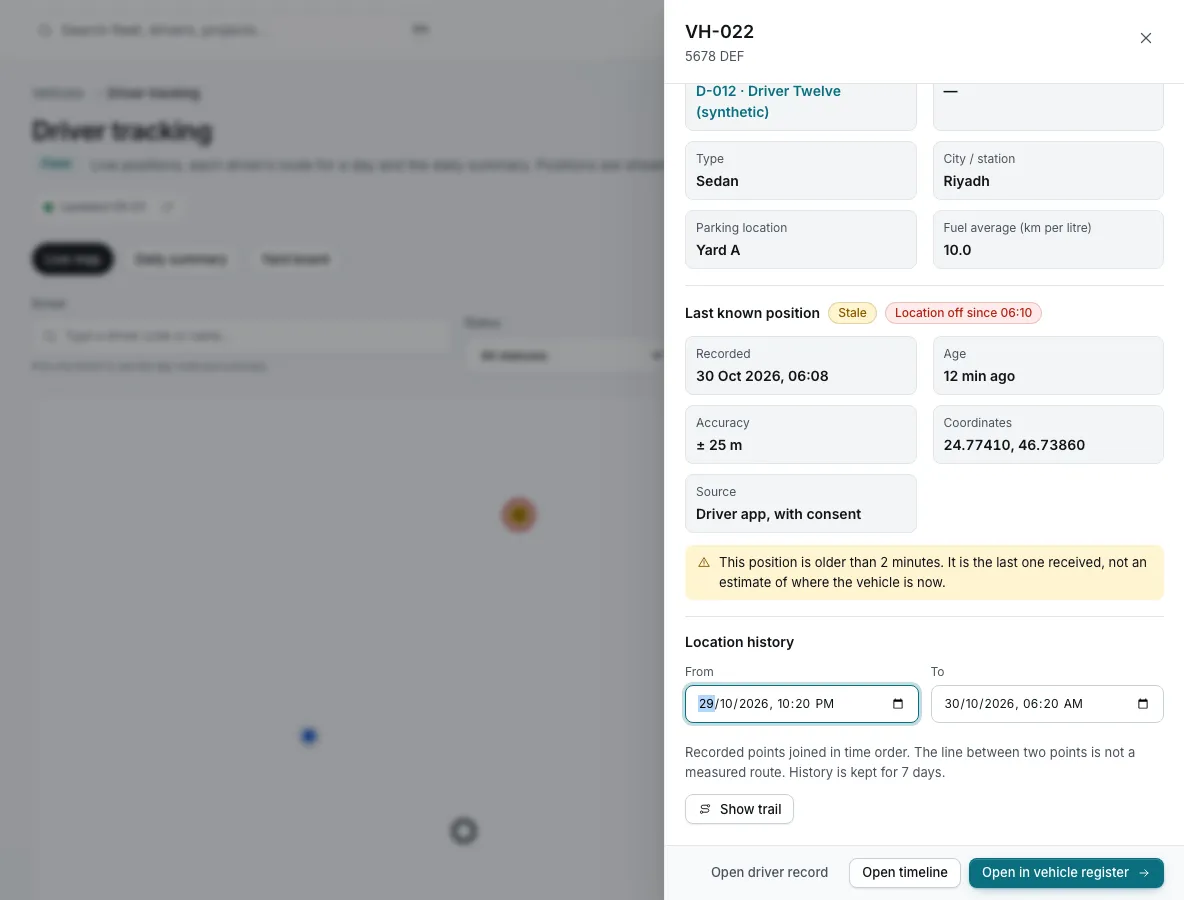
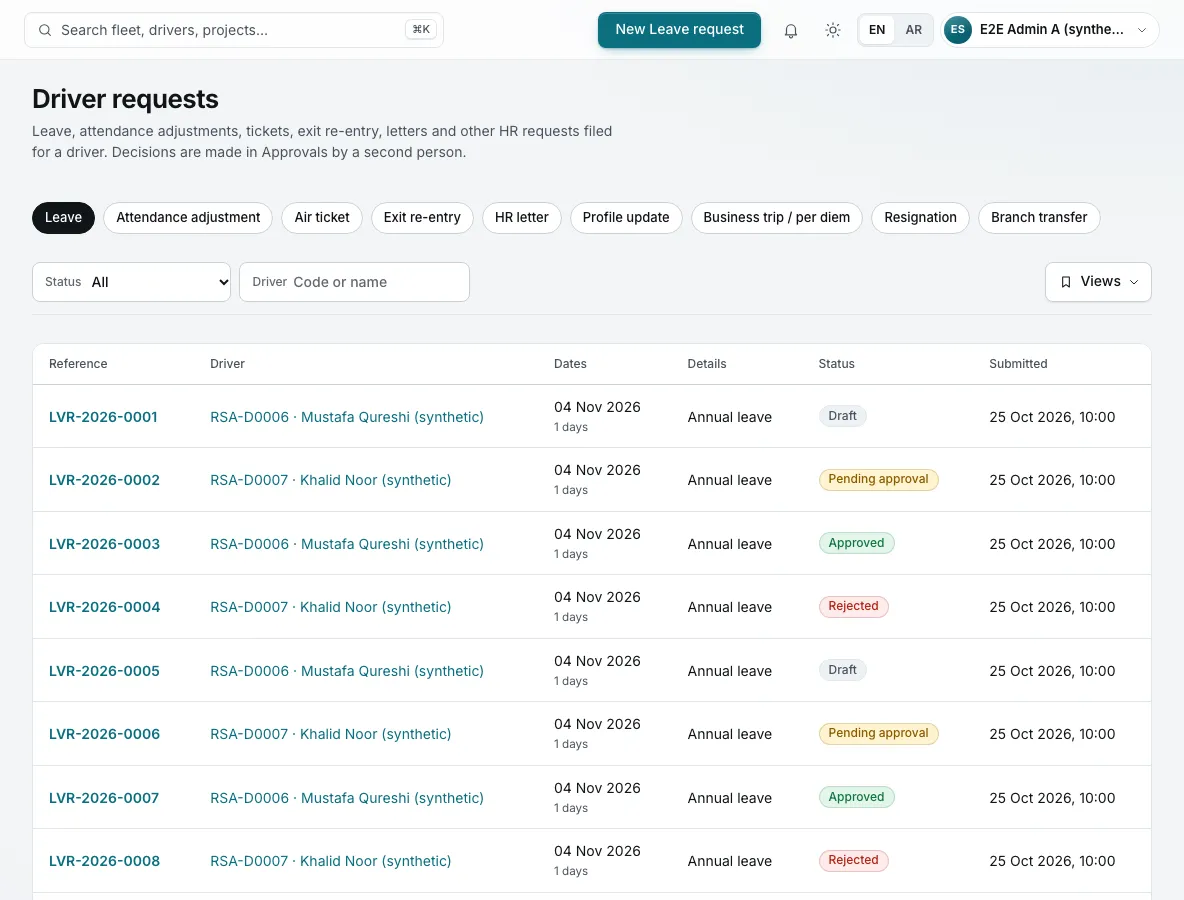
The orders register lists every order with its date, driver, project, vehicle, city and status. Assign a driver, and the order appears in that driver's app the same day. Broadcast an announcement, a warning or an emergency notice to all drivers, one project or one driver.
ORD-24017D-011 · Driver ElevenRiyadh, OlayaDeliveredORD-24018D-011 · Driver ElevenRiyadh, MalqaIn progressORD-24019D-012 · Driver TwelveRiyadh, SulayAssignedORD-24020Not assignedRiyadh, NarjisPlannedORD-24021D-013 · Driver ThirteenRiyadh, HittinCancelledOrders import
Download the template, fill it from your client's file and upload CSV or XLSX. Zamam matches each row on the order reference, so uploading the same file twice updates instead of duplicating. Every row that fails comes back with its reason; nothing is skipped silently.
Columns for reference, date, driver, project, vehicle, customer, city and addresses.
CSV or XLSX. Rows are checked one by one.
Created, updated and failed rows, each failure with its reason.
Assigned orders appear in the driver app for that day.
Approvals and forms
Build approval chains without code: who approves, in what order, how many approvals are needed and when a stage is overdue. Stages can run in sequence or in parallel, and the first stage can be the requester's own manager. Build forms with bilingual labels, required rules and conditions, publish them as versions and route submissions through a chain.
Live map
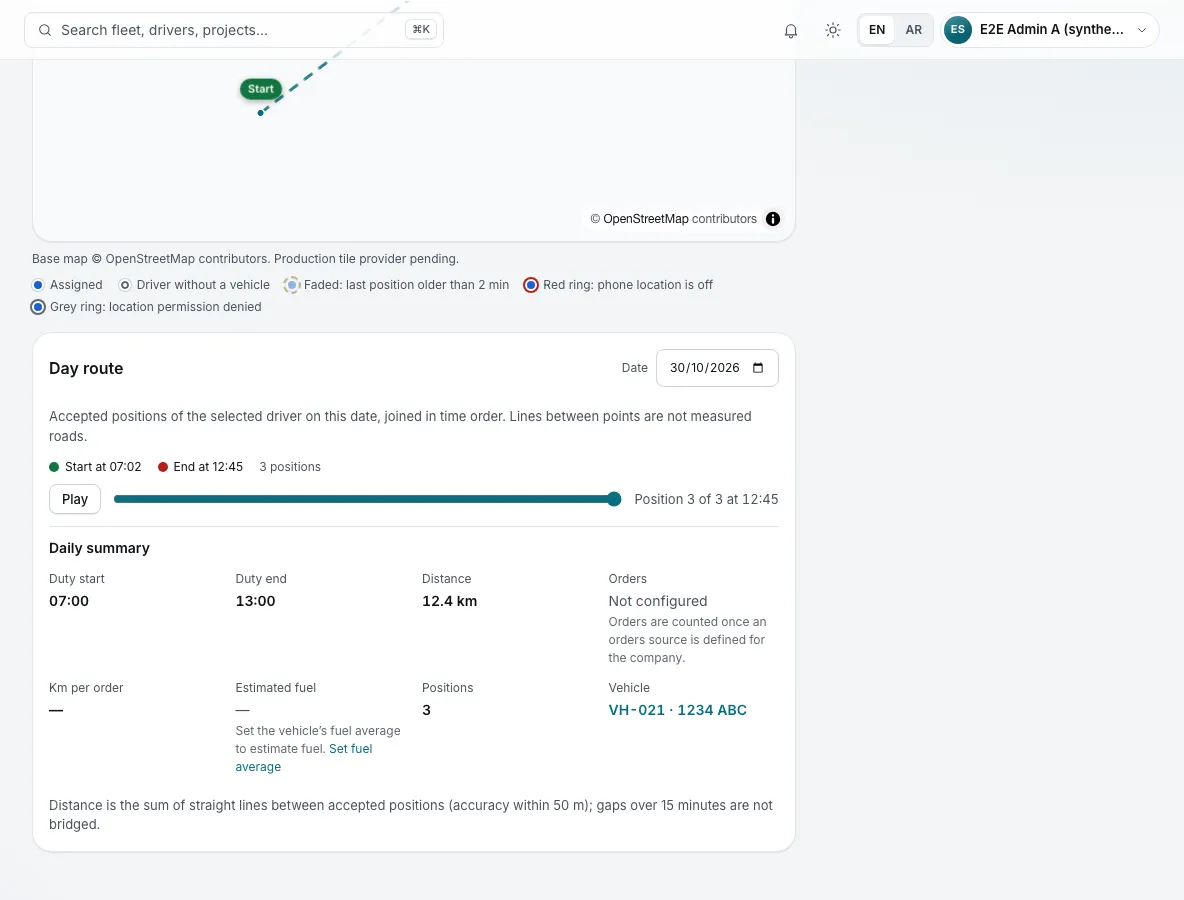
While a driver is on duty, the app sends a position every 30 seconds by default; your company can set the interval between 10 and 300 seconds and a minimum distance. The map shows each driver's last recorded position and time. A position older than two minutes is faded and labelled, never moved on a guess.
Day routes
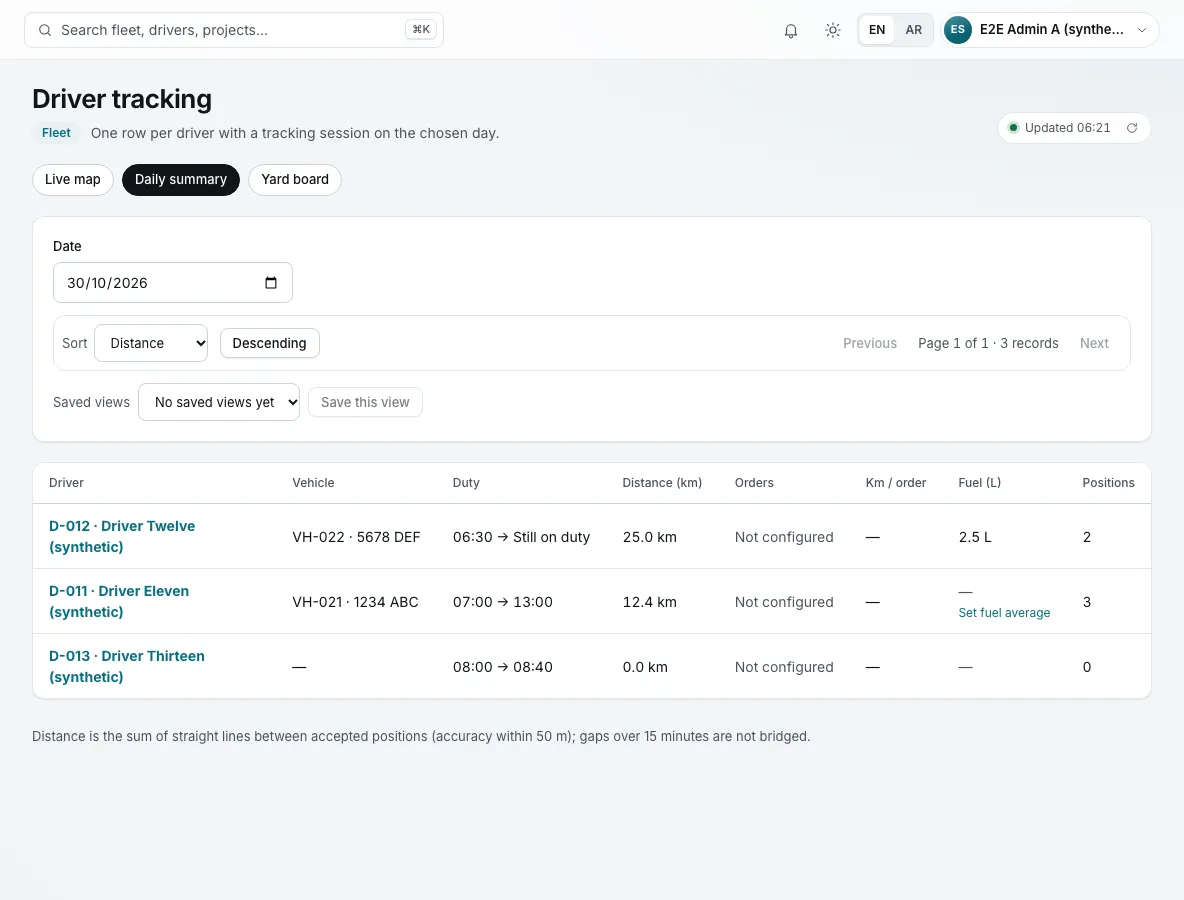
Pick a driver and a date to see that day's accepted positions joined in time order, with start and end markers and a playback slider. The daily summary shows duty start and end, distance, orders delivered, kilometres per order and estimated fuel from the vehicle's fuel average.
Location-off alerts
If a driver turns off phone location or denies permission while on duty, the app reports it straight away. The driver turns red on the map and in the list, and dispatch is notified through your notification channels. Phones cannot be tracked with location off, so Zamam shows the last known position with the off marker instead of inventing movement.
Messaging
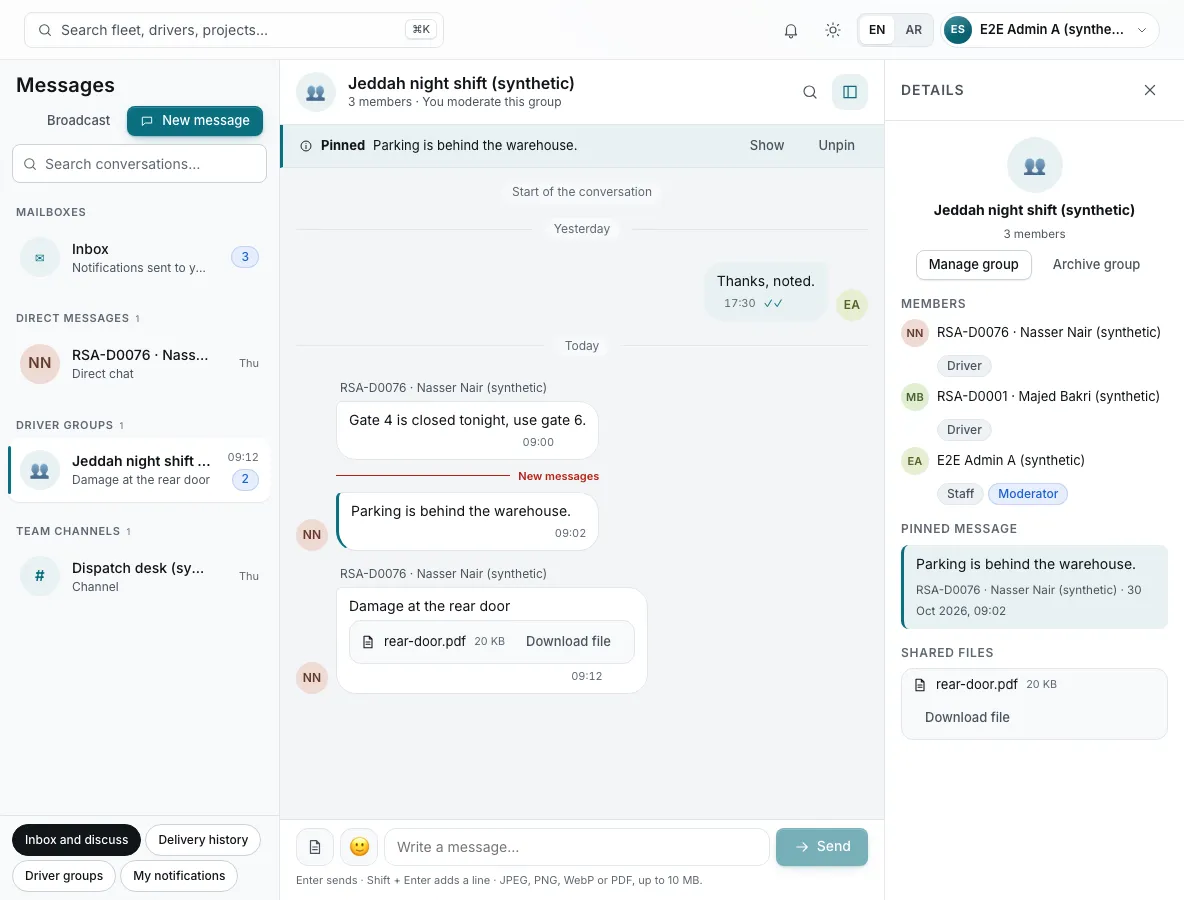
Create driver groups with staff moderators, pin a message, mute a member or archive a group. Send text, photos, documents and voice notes up to three minutes. Mentions use the driver code, read receipts show how far someone has read, and driver-to-driver chat stays off unless your company turns it on.
Also in Operations
Week plan, bulk assign, copy last week and publish. Drivers are told when their shift is published.
Geofenced zones with a radius. Check-in and check-out can be required inside them.
Off by default. When your company turns it on, it explains records within each user's permissions and never changes data on its own.
Operations questions
More answers on the FAQ page.
Yes. Use the template columns, upload CSV or XLSX and read the per-row result. Re-uploading updates existing orders by reference.
Every 30 seconds by default while on duty. Your company can choose 10 to 300 seconds; the phone's operating system still decides the exact delivery.
The driver is marked red on the map, dispatch is notified, and the last known position stays on screen with its time.
Only if your company turns on driver-to-driver messages. Supervisors can always open a chat with a driver.
0 SAR per month to begin. Our team helps you import your data.